The checklist is free. The rest is $19, once.
One place for the two of you: a checklist built from your events and your date, then the budget, the guest list with an RSVP link per party, your vendors and their payments, and a schedule for every event of the weekend.
No card, no trial clock. Your partner signs in too. Not a subscription: nothing renews.
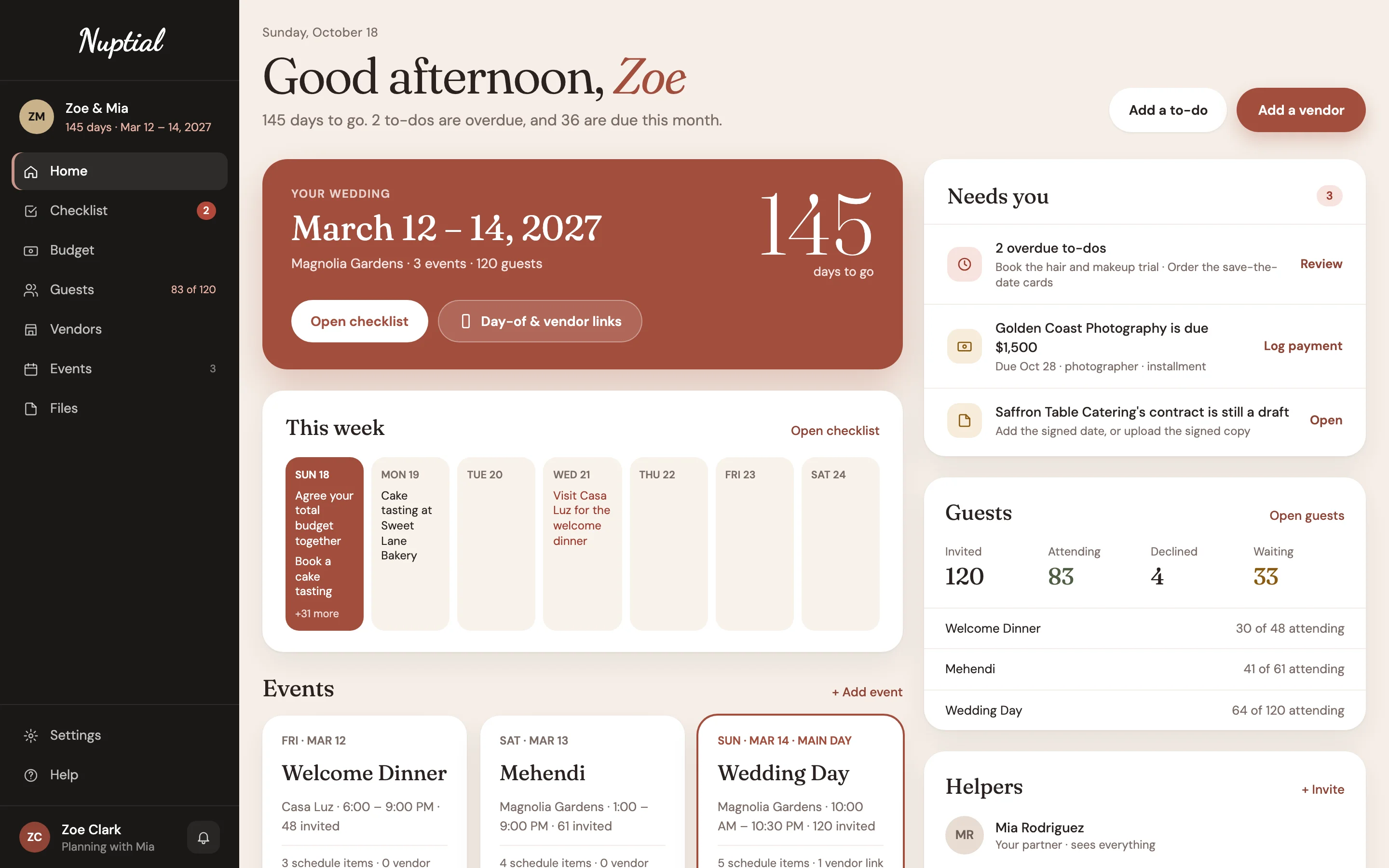
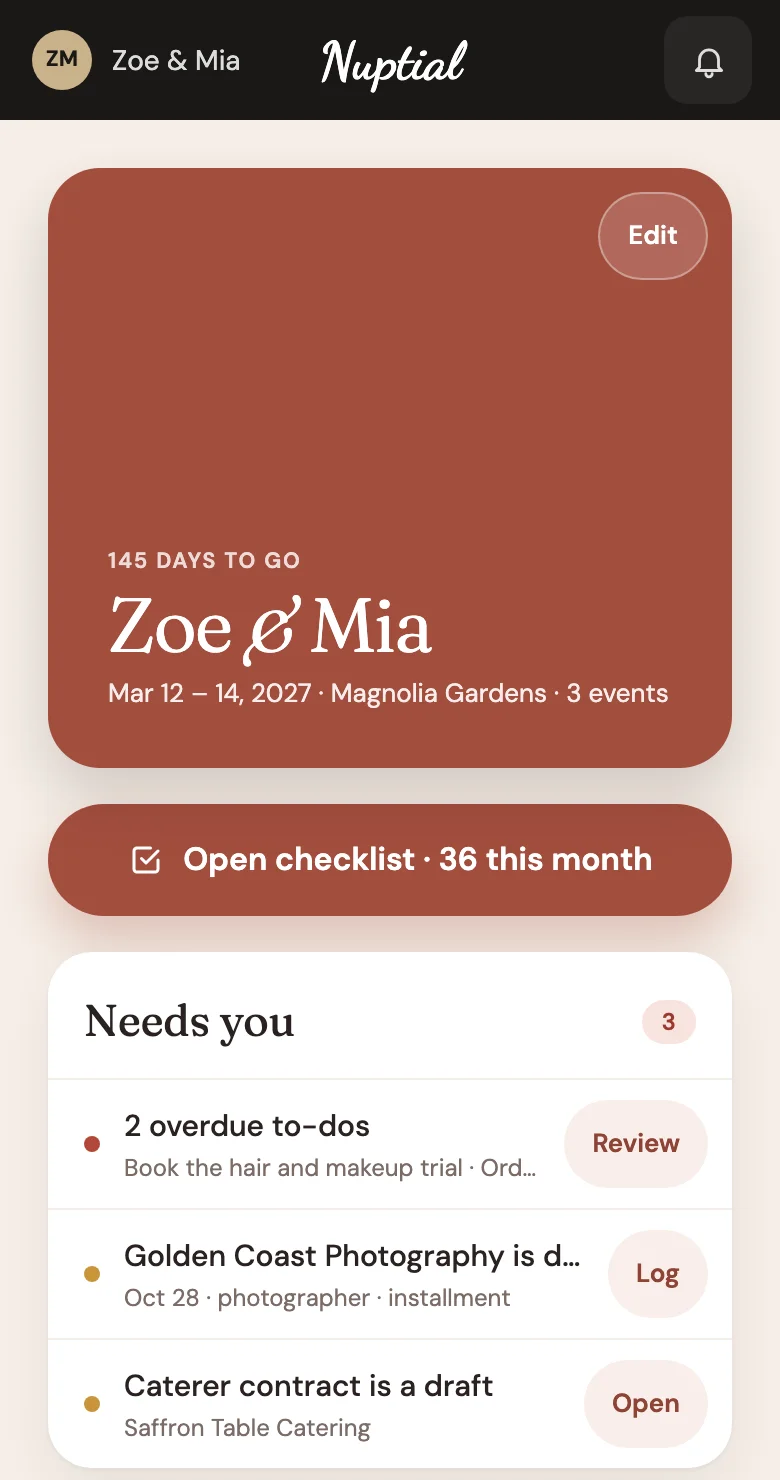
A checklist from a magazine, three spreadsheets and a group chat.
- Magazine checklist
- Budget spreadsheet
- Guest list spreadsheet
- RSVP website
- Contracts in email
- Family group chat
Nuptialfor couples · one place for the two of you
A checklist that knows your wedding.
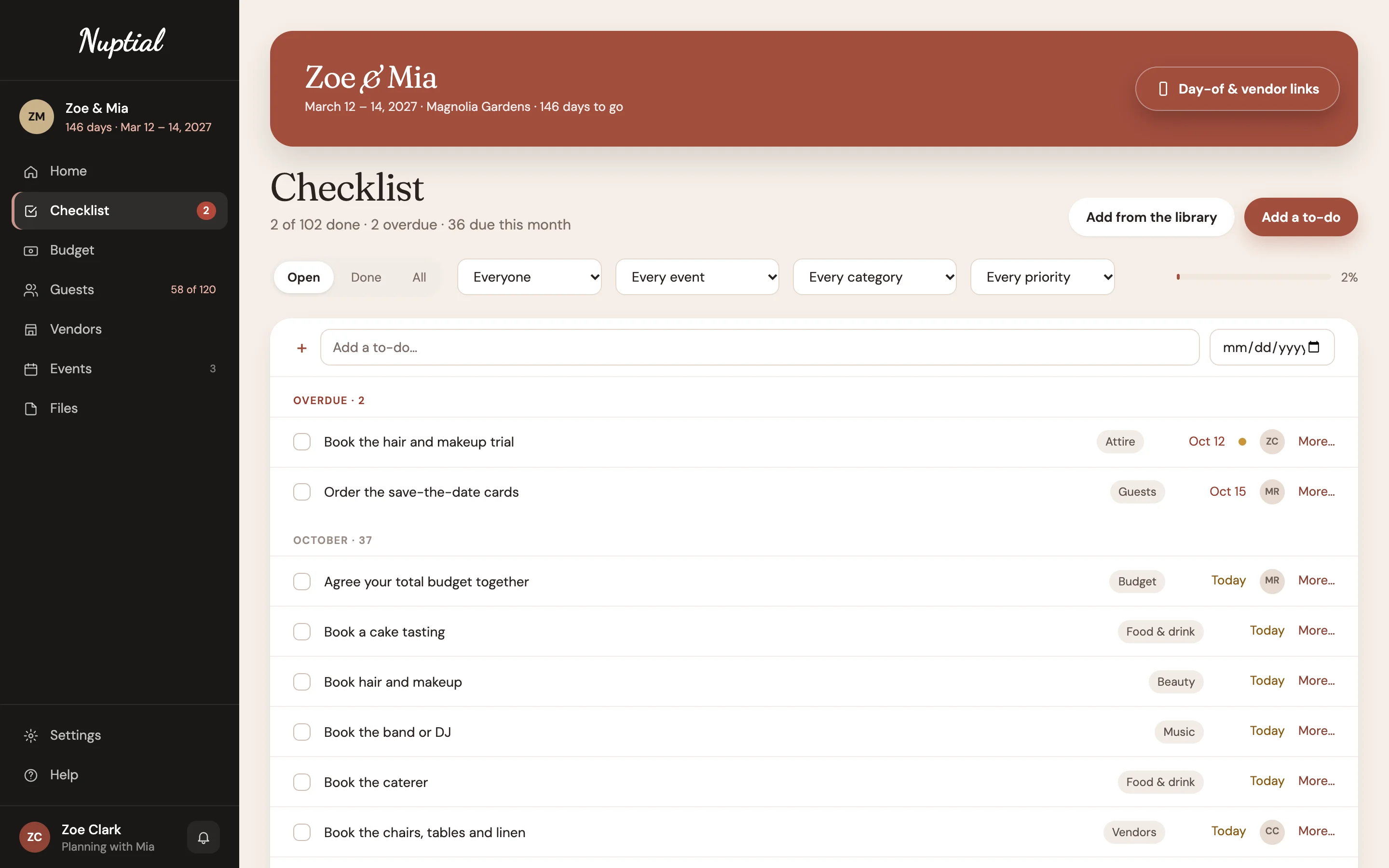
Tell us your date and which events you're having, and the to-dos come dated from there. A welcome dinner adds its own. Move the date, and everything still to do moves with it.
- Grouped by month, overdue first, with the ones for this week on your home.
- Add from the library when you take on something new, or write your own.
- Share it. Hand a to-do to your partner or a helper.
Welcome dinner, mehendi, wedding day. Each one planned.
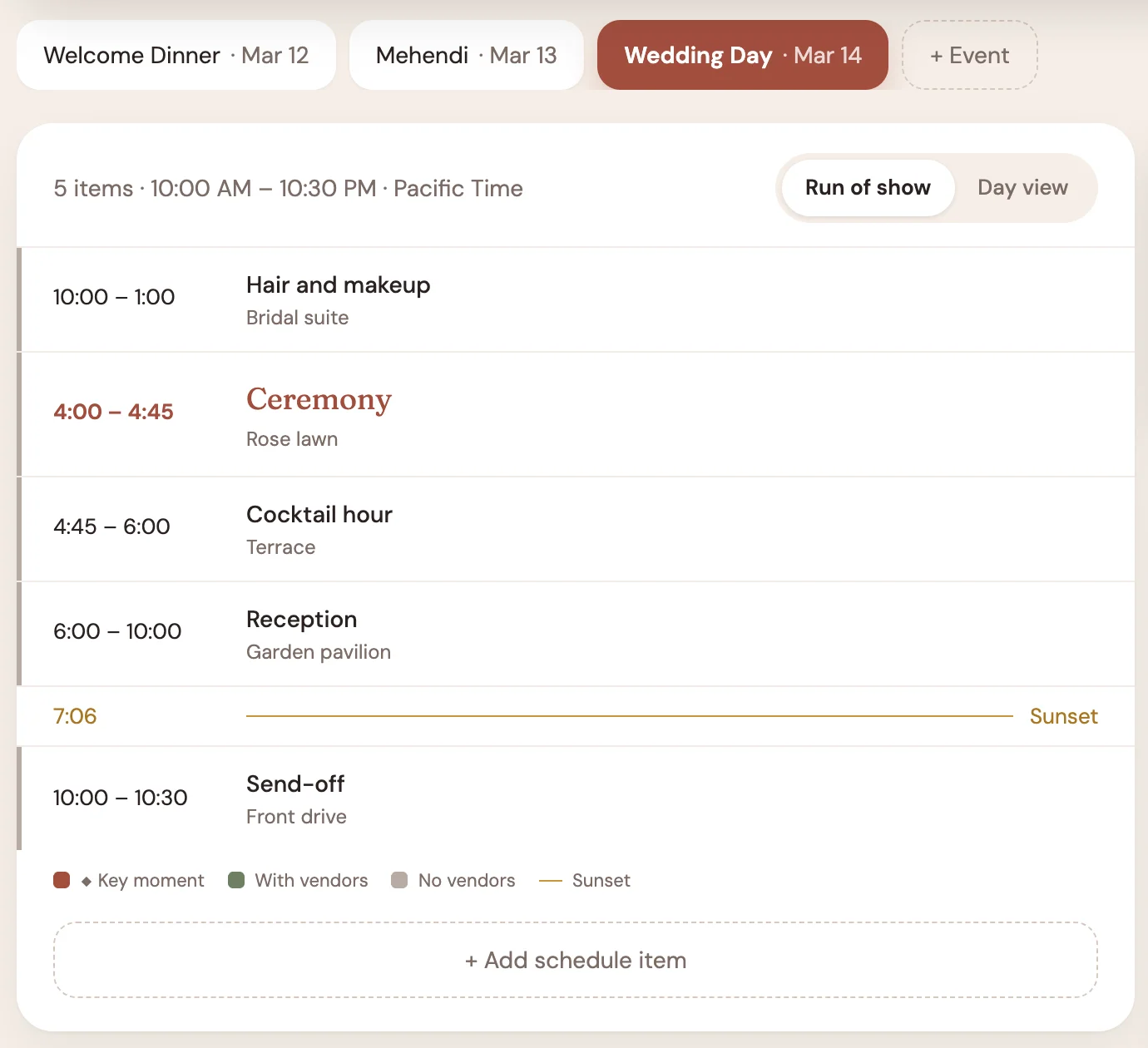
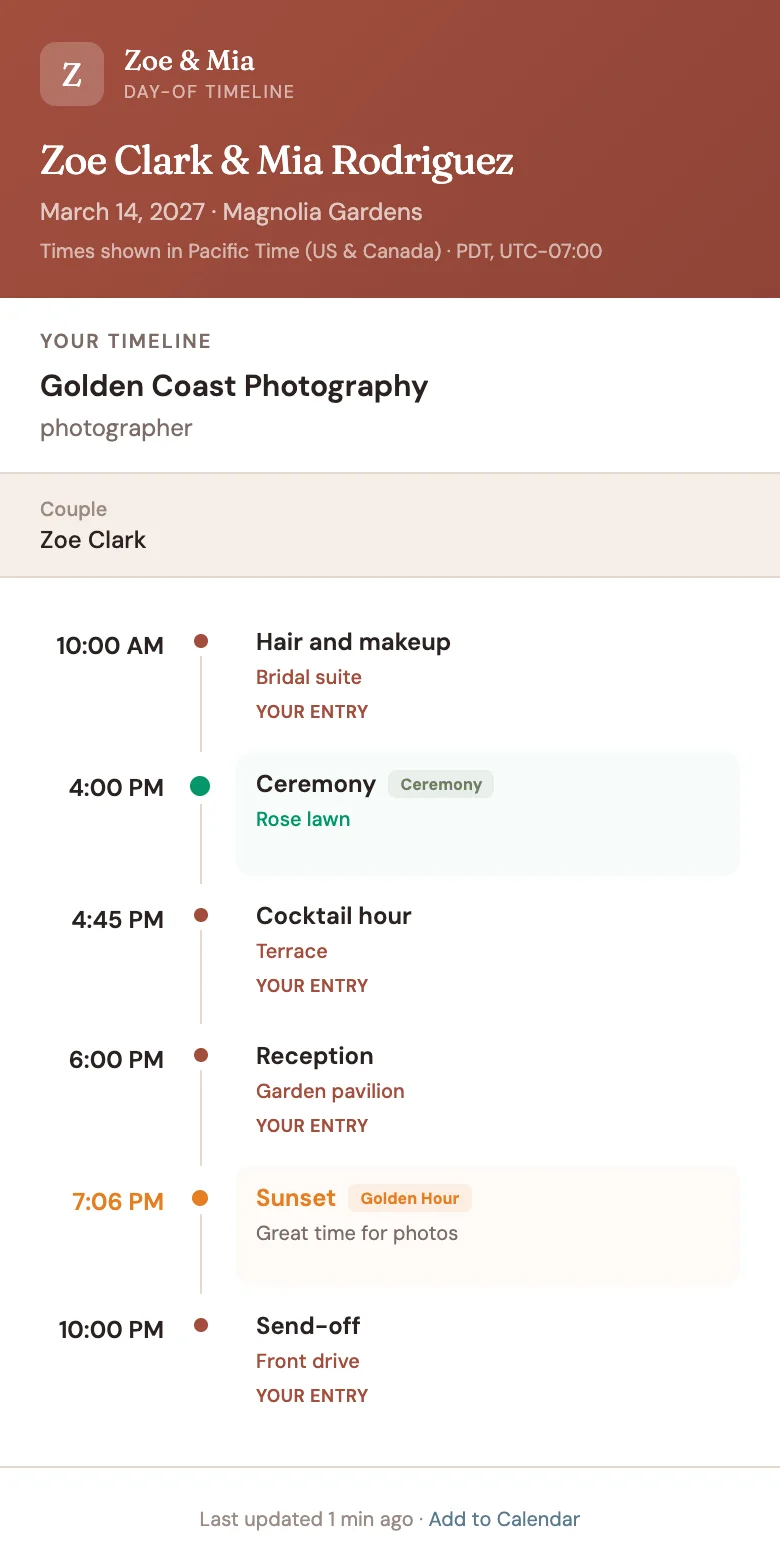
Most tools assume one day. Yours might be three, in two traditions, at two venues. Each event has its own date and place, its own guest list and schedule, and its own links for the vendors working it.
- A run of show per event, with the sunset marked
- Each vendor gets a link with their own call times and the day's key moments, with no app or sign-in
- Change the ceremony time and every vendor's link updates
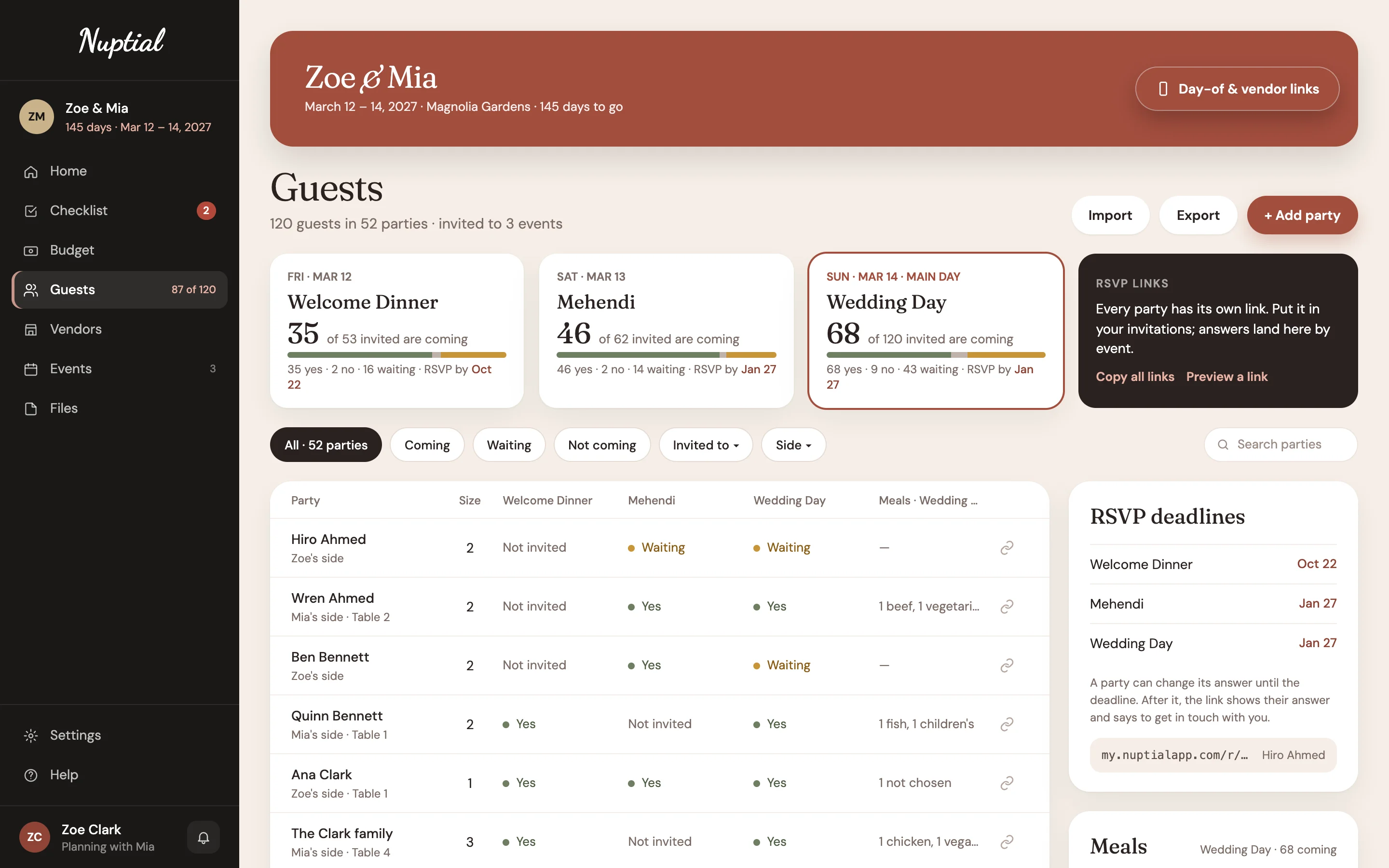
One guest list. An answer per event.
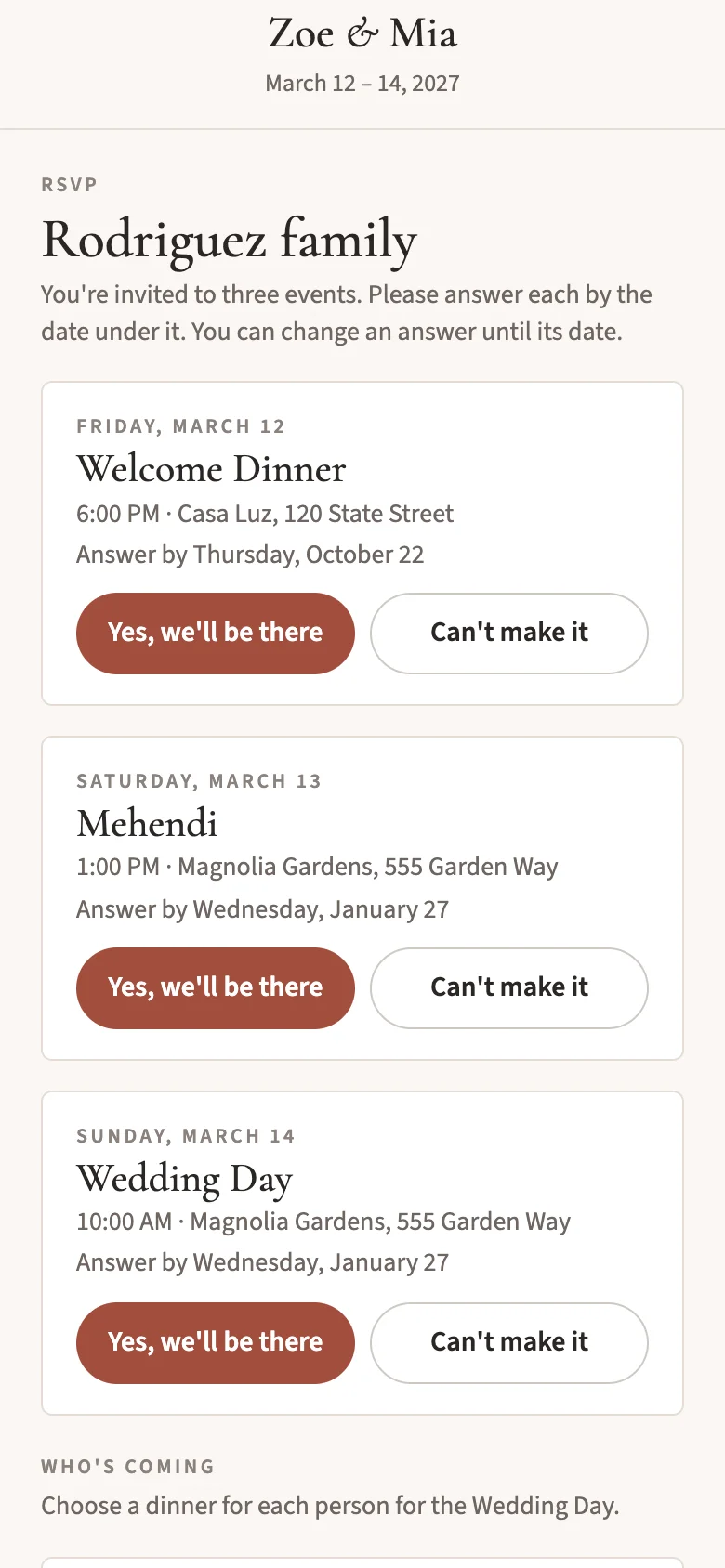
Invite each party to the events they're part of. Every party gets its own RSVP link to put in the invitation; they say yes or no per event, pick a meal for the wedding day, and it lands here the moment they send it.
- No name search. A link opens one party's page and nobody else's.
- Changeable until the deadline you set per event.
- Meals and seating for the wedding day, counted as the answers come in.
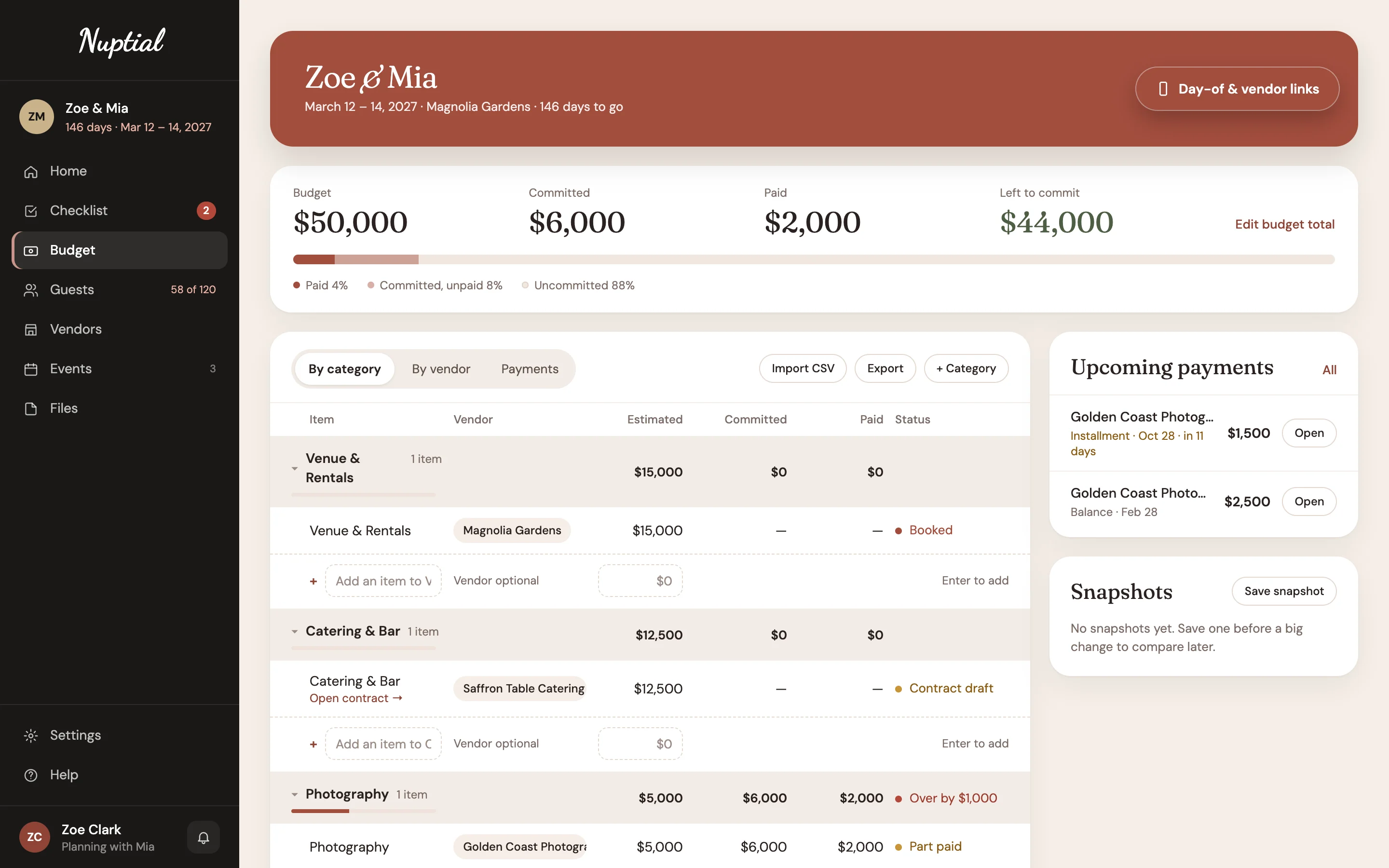
Know what's committed, and what's paid.
Set a budget and split it by category. Each vendor's contract carries its payment schedule, so the next payment due shows up on your home before it's late.
- Contracts and payments per vendor, with the signed copy in Files.
- Tips noted separately, never hidden in a total.
Bring in your people, on your terms.
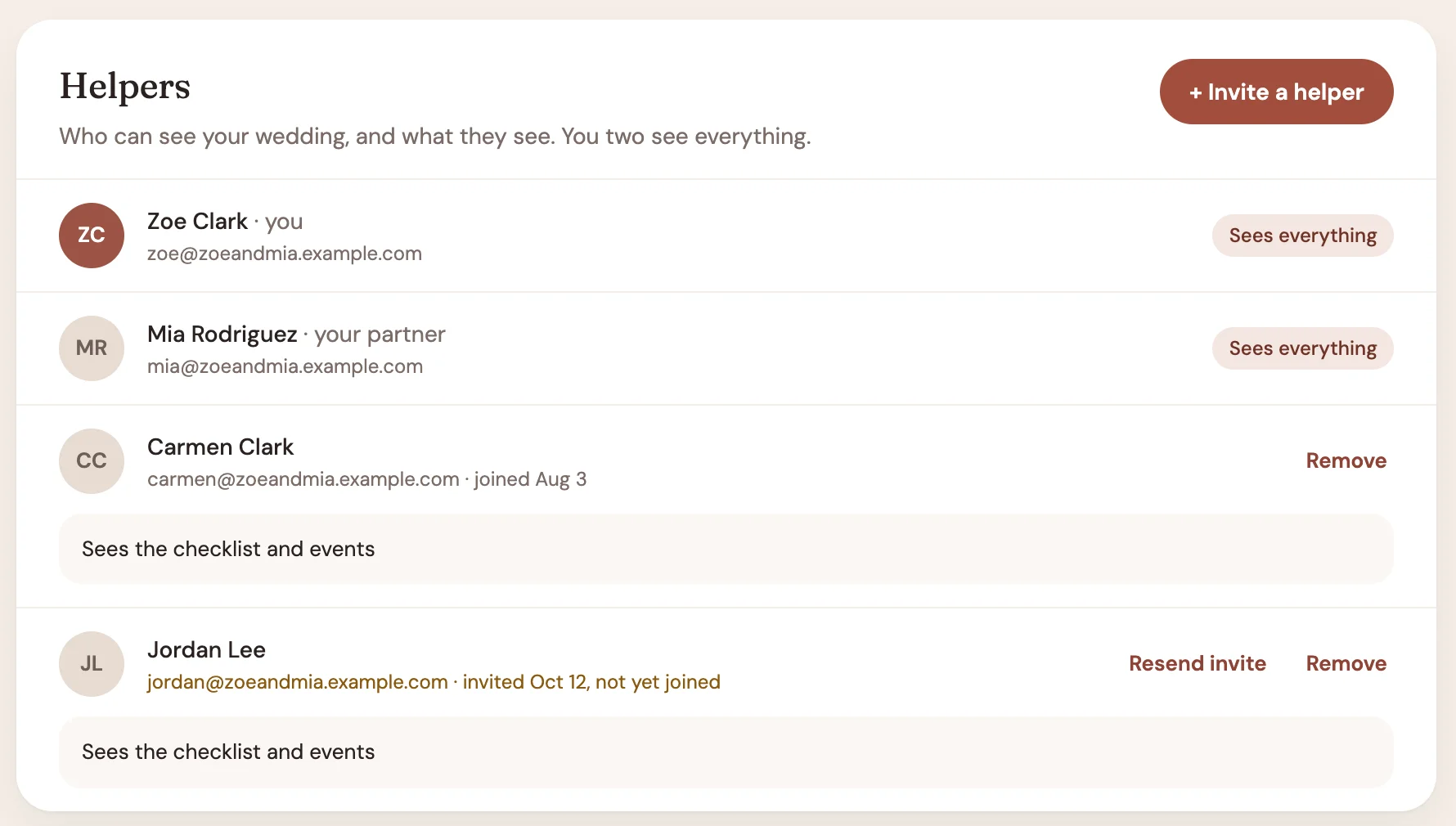
Your partner signs in as the second owner and sees everything. Once you've unlocked the planning tools, a parent or someone from the wedding party can be a helper with their own sign-in: they see the checklist and your events, and never the budget or what you've paid.
Free to start. $19, once.
Not a subscription. Pay once for the planning tools and they're yours until 90 days after your wedding, then everything stays to read and download.
Free
The checklist, for as long as you're planning.
$0
- Your names, dates, venue and events
- The checklist, built from your events and dated from your date
- The to-do library
- Your partner's sign-in
- Works on your phone, no app to install
Nuptial for Couples
Everything above, plus the planning tools.
$19 once
- Budget, by category
- Guests, invitations per event and an RSVP link per party
- Vendors, contracts and payments
- A schedule for every event, with live vendor links
- Files, helpers and PDF exports
Unlock from inside the app whenever you want. Nothing renews, and there's nothing to cancel. Paid once, in US dollars, by card through Stripe.
Then you don't need this. Ask them about Nuptial.
Planners who use Nuptial give their couples a portal with the schedule, the guest list, the budget and payments in it. Nuptial for Couples is for the two of you doing it yourselves.
Frequently asked questions
Is it really $19 once?
Yes. One payment unlocks the planning tools for this wedding until 90 days after it. There's no renewal. $19 is the launch price; it may go up later, and that never affects a wedding already paid for.
What happens after the wedding?
The planning tools stay open until 90 days after your wedding's last day. After that your wedding is read-only: every section still opens and every PDF still downloads, but nothing new can be added.
Can my partner sign in too?
Yes, on the free checklist too. Invite them by email when you sign up or later from Settings. They get their own sign-in and see everything you do.
Can our parents or the wedding party help?
Yes, as helpers, once you've unlocked the planning tools. Each helper has their own sign-in, sees the checklist and your events, and can take on to-dos.
Do guests need an account to RSVP?
No. Each party gets its own link to put in your invitation. They open it, answer for each event they're invited to, and can come back to change it until the deadline you set.
Is there an app?
Nuptial works in the browser on your phone, tablet or computer, so there's nothing to install.
We don't have a date yet. Can we start?
Yes. Start the checklist without one; your to-dos are dated as soon as you add the date. If you unlock before you have a date, the planning tools stay open for 18 months from the payment, or until 90 days after the wedding once it has a date.